I built my own Filing Cabinet
I hate filing cabinets. I hate having a place where everything is unorganized but also completely crucial. Every piece of paper will be important once in a lifetime, but you never know which or when.
Luckily, there’s been a series of services like Quicken LifeHub, Trustworthy, and Granite. They all promise to act as the one place to organize all of your documents. I really love the idea of these services, but none of them work exactly how I want them to. In particular, they all involve storing my most private data on their servers, and they support data that I don’t care about digitizing (driver’s licenses, passports).
AI has changed my ability to build software myself and for my family. It doesn’t take that much iteration for me to build something that my wife and I can easily use and keep running.
At this point, if I like 80% of a piece of software, it’s now worth it for me to build the entire thing just to customize the last 20%. With that in mind, I built my own digital filing cabinet.
My Documents App
Each category of documents is like it’s own folder. In the real world, filing cabinet folders never stay property organized.
This is my documents app. It relies on the idea that everything that I’m going to upload can be easily categorized - tax documents, medical receipts, charitable donations, etc. Every time I upload a document, it’s automatically categorized, and category-specific metadata is pulled out. It turns out that LLMs are fantastic at document categorization. Once a document has been categorized, I can have the LLM pull out specific metadata, like ingredients from a recipe or a property tax total from a property tax notice.
I can even forward emails to my documents app and have the relevant documents pulled out. Combine this with an email filter, and I haven’t manually uploaded a document in quite some time.
That was the core proposition of all of those services that I loved. But what about that missing 20%?
For starters, I wanted to be able to have different views of my documents. Charitable receipts should be automatically displayed for tax time. Medical receipts should be filed for when I attempt to use my HSA. Recipes should be shown as recipes with their ingredients ready to be added to a grocery list.
This is all inherently personal. It was important for me to be able to upload copies of my most important recipes, and I don’t see a need to upload my driver’s license into my filing cabinet. So, that’s what I built around.
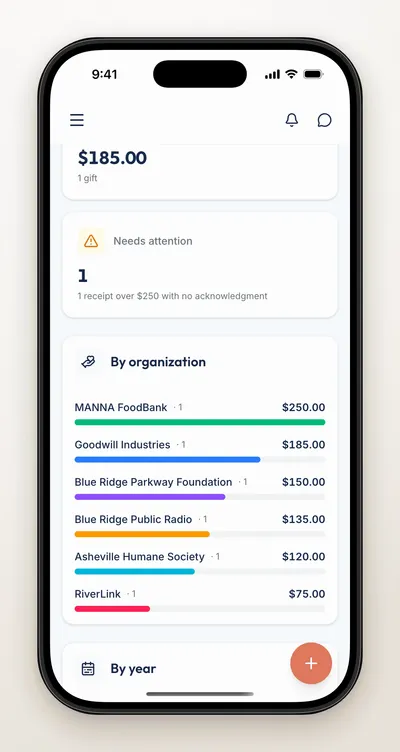
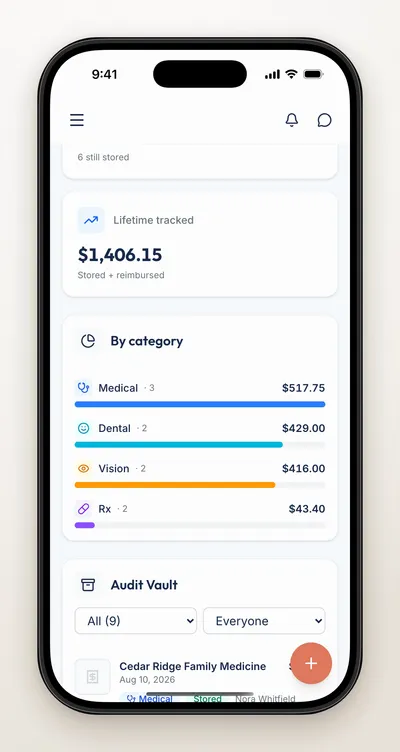
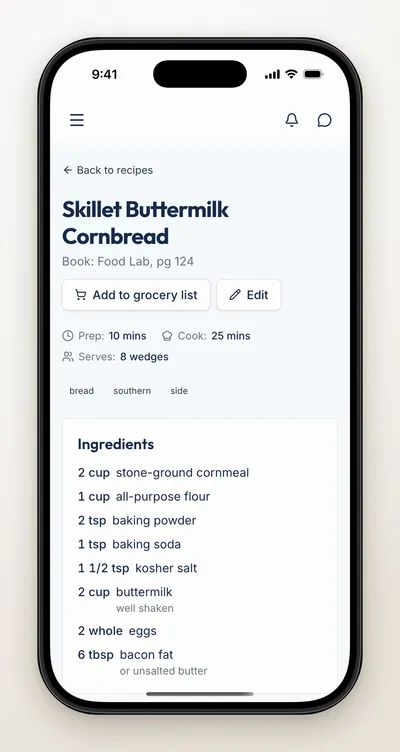
Then, there’s the security portion of this. I do not want these documents living on someone else’s computer.
At this point, you might be screaming at your monitor about handing my documents over to an LLM for categorization. After all, now my tax returns are going to be used for training data! Yeah, that’s the real flaw in my system. I built out a redaction flow that helps me manually redact documents before they’re sent to Gemini. I’d like to eventually try a local LLM for document categorization. I’ve done some preliminary work with Gemma on my phone and it seems very promising.
The documents sent over the wire have these sensitive values replaced so that there’s nothing to unintentionally read.
As I’ve been building more and more apps for the family, I’ve been a lot of commonalities in what I want. I want access controls, MCP support, CLIs for agent operations, users, bulk importing/export support. I ended up building out an open-source framework called Homestead to provide these for all of my apps. The documents app is one of many apps I’ve built on top of my Homestead server. I just described the schema for my data, wired up some React components, and I got everything else for free. I’ve shared just the tax receipts with my accountant, the recipes with my parents, and a Pictionary game tracker with my extended family.
AI Disclosure: Nobody wants to read what an LLM has written. I wrote every single word of this myself. I did use AI to generate fake data and record the demo screenshots.